
Reports & CSV export
The Reports page gives Managers and Admins summary numbers for a date range plus a CSV export of the underlying issues. Techs don't have access.
Picking a date range
Set From and To dates and hit Apply, or use the 7d / 30d / 90d presets. The default is the last 30 days. Both ends are inclusive — a range ending today counts everything through the end of today.
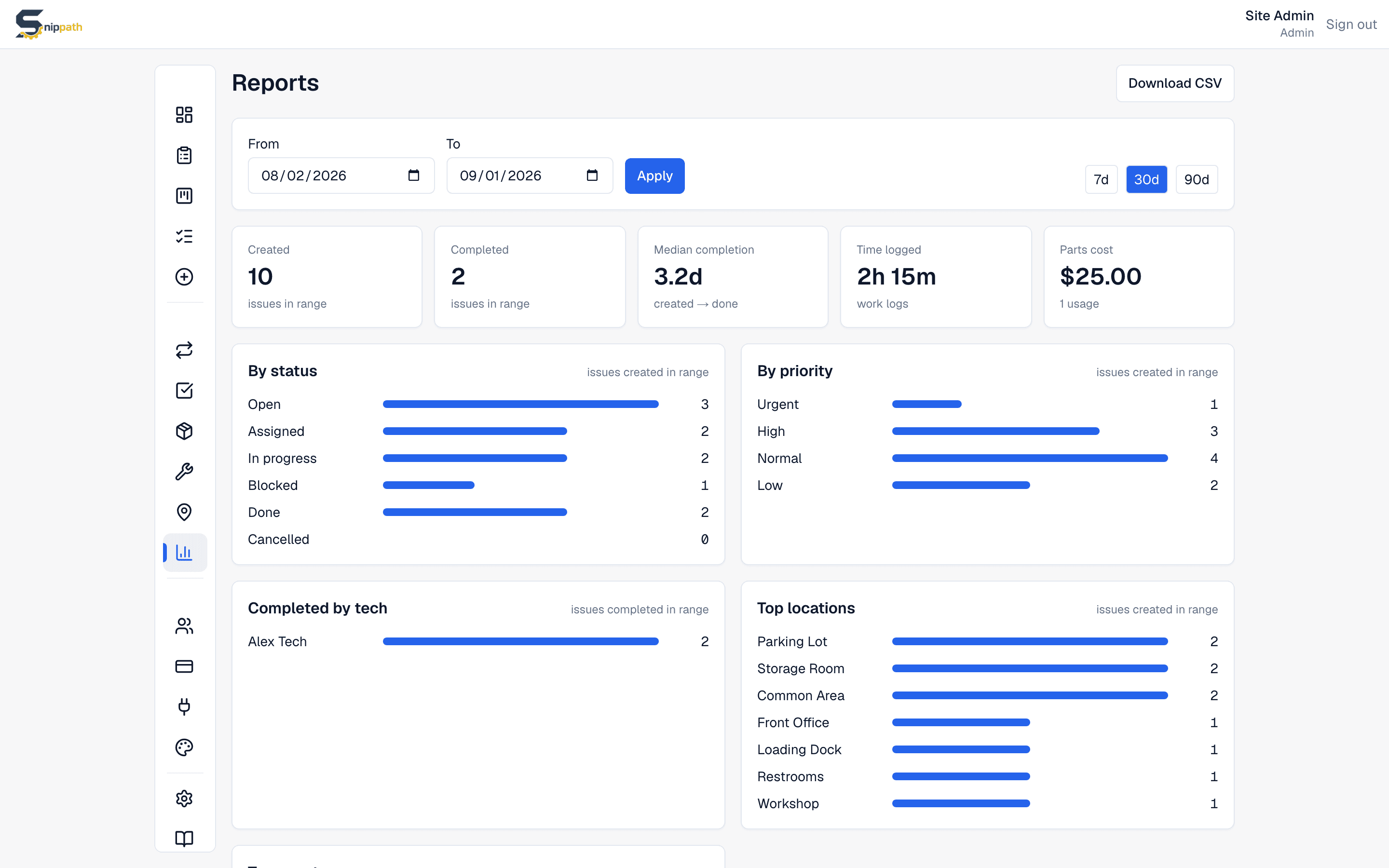
The KPI tiles
- Created — issues created in the range.
- Completed — issues completed in the range.
- Median completion — median time from created to done, for issues completed in the range.
- Time logged — total minutes from work logs recorded in the range.
- Parts cost — part usages in the range, priced at each part's unit cost.
Breakdowns
- By status and By priority — issues created in the range. Every status and priority is listed, including zeroes.
- Completed by tech — issues completed in the range, per assignee (unassigned completions are counted too).
- Top locations and Top assets — the 8 locations/assets with the most issues created in the range.
Below the breakdowns, Recent completions lists completed issues newest-first, capped at the latest 50 (the header shows the full count).
CSV export
Download CSVexports one row per issue created in the current range, with columns: id, createdAt, title, priority, status, location, asset, reporter, assignee, assignedAt, startedAt, completedAt, minutesLogged (total work-log minutes on that issue), and source (whether it came from the app, the public form, or a recurring task). Photos and comments aren't in the CSV — they only exist in the app.
What Reports doesn't do
- No filters beyond the date range — no status, assignee, or location filters on this page. Export the CSV and filter in a spreadsheet.
- No scheduled or emailed reports — pull on demand.