
Recurring tasks
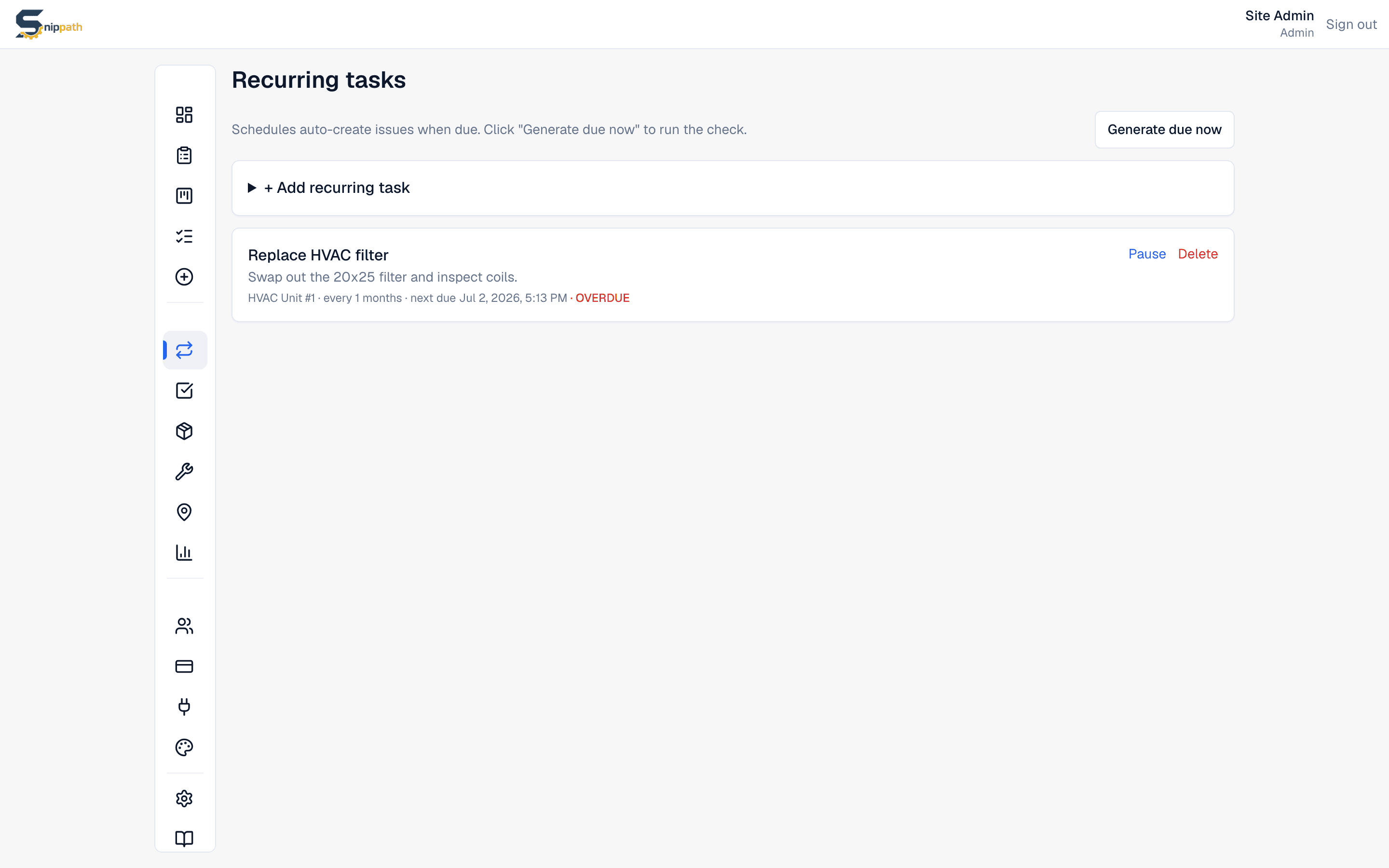
Recurring tasks auto-create issues on an interval — filter swaps, generator tests, walkthroughs, anything you don't want to remember manually. Managers and Admins manage them from Recurring tasks in the sidebar.Pro+
Creating a recurring task
Click + Add recurring task and fill in:
- Title — used as the title of every generated issue.
- Description (optional) — copied into each issue.
- Equipment (optional) — the asset this work is for. See Equipment.
- Assignee(optional) — pick a tech or manager to get each issue immediately (it's created already Assigned), or leave it as "assign on generation" so issues land Open in the manager queue.
- Interval — every N days, weeks, or months (1–365). Quarterly is "every 3 months".
- Priority — Low, Normal, High, or Urgent.
- First due — the date and time of the first occurrence.
How generation works
A background check runs daily. When a schedule's due date has passed, Snippath creates a real issue with the configured title, description, equipment, priority, and assignee; its due date is the scheduled time, its source shows as coming from the schedule, and its timeline notes it was auto-generated. Any Manager can also click Generate due now to run the check immediately.
If the previous issue from a schedule is still open when the next one comes due, the new one is created anyway — outstanding work doesn't silently delay the schedule. Schedules whose due date has passed show an OVERDUE flag until generation runs.
Pausing and deleting
- Pause stops generation without losing the schedule; Resume picks it back up.
- Delete removes the schedule. Issues it already generated stay — they're ordinary issues.
Honest limits
- Schedules can set a location and auto-attach a checklist — every generated ticket picks both up. If no location is set, generated tickets inherit the linked equipment's location. Checklist steps are snapshotted at generation time, so template edits never change already-created tickets.
- There's no meter- or usage-based PM (e.g. "every 250 engine hours") — intervals are calendar-based only.