
Asset tracking
Asset and equipment tracking software
Keep a live register of every asset — equipment, machines, fixtures — with its location, details, and complete maintenance history. Every work order can link to an asset, so you always know what's been done, who did it, and what each piece of equipment is really costing you.
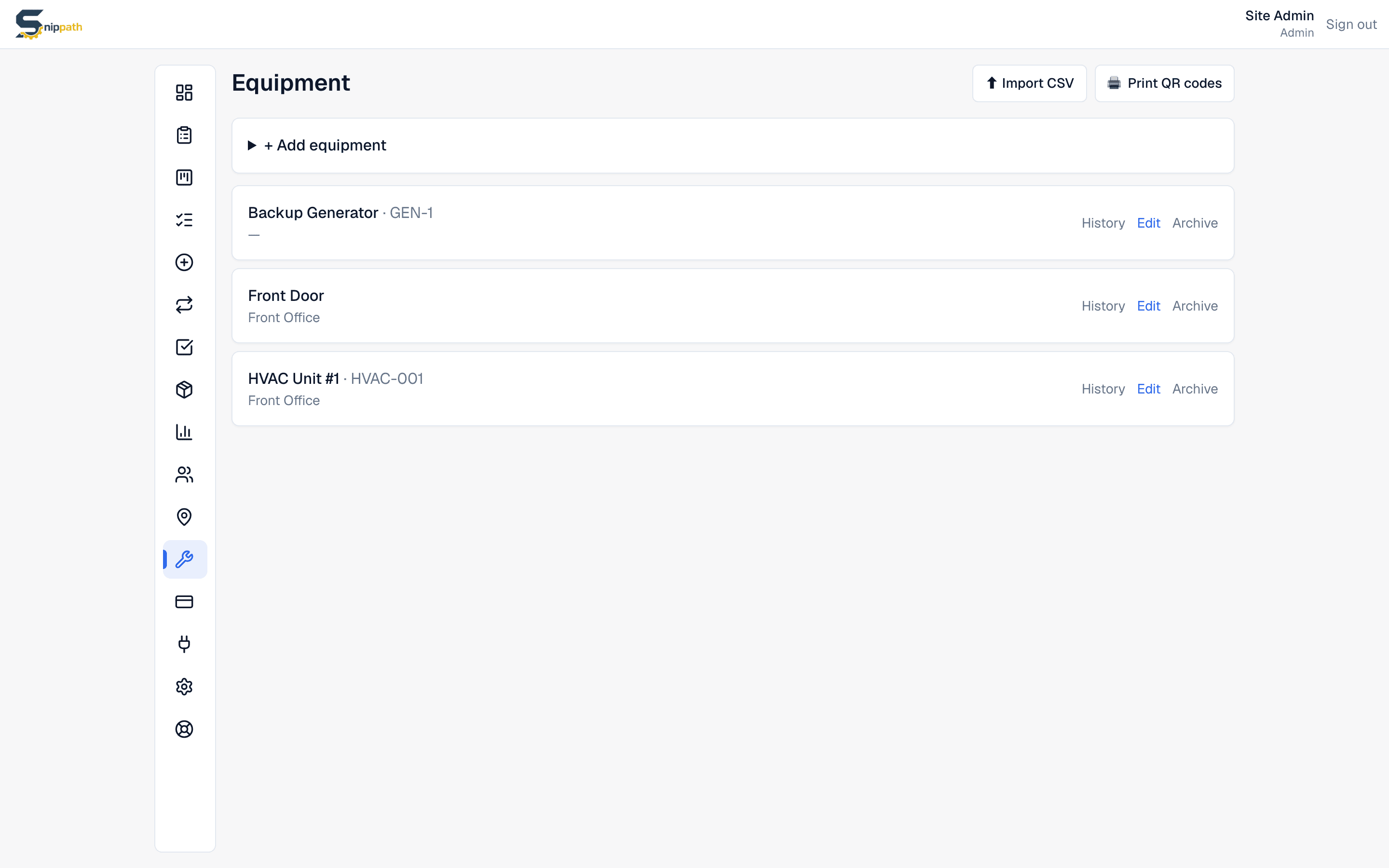
One register for all your equipment
Each asset carries a name, a type or category, its location, manufacturer, model, serial number, install date, and free-form notes for whatever the next technician needs to know. Locations are their own module, so a multi-site operation can organize equipment by building, floor, or area and filter everything by where it physically sits. Both assets and locations are available on every plan, including free.
Import your whole list in one go
Nobody wants to retype 200 machines. Snippath's CSV import takes a spreadsheet of equipment — download the template so the columns line up — validates the whole file before writing anything, and auto-creates any locations the rows reference. An onboarding that would be an afternoon of data entry becomes a ten-minute import, and if a row is wrong the import tells you instead of half-loading.
Every asset shows its full history and cost
The asset detail page is the payoff: open tickets, complete work order history with status and date filters, any recurring maintenance schedules attached, and a lifetime cost rollup built from parts used and work-log minutes across every job. That's how you catch the ice machine that has quietly consumed $1,900 in parts and thirty hours of labor — and make the repair-or-replace call with numbers instead of vibes.
A QR sticker on everything
Every asset gets a unique QR code. Print a full sheet on label paper (Avery 5160 works), or print a single label from the equipment list, the asset's detail page, or right after creating it — register the machine, print the label, stick it on. From then on, anyone who scans it lands on a pre-filled report form for exactly that asset, no login needed, and the report joins that asset's history automatically.
Retire equipment without losing its story
When a machine is sold or scrapped, archive it instead of deleting. Archived assets disappear from pickers for new work orders and stop generating recurring tasks, but keep their entire history — so you can still review what that generator cost over its life, or prove maintenance was done while you owned it. Hard delete exists for admins, but it takes the ticket history with it, which is almost never what you want.
What we don't have: deep asset trees or meters
Snippath supports one level of parent-child hierarchy — a machine with sub-equipment underneath it, with parts costs, labor hours, and issue counts rolling up to the parent. What it doesn't do is arbitrarily deep nesting (Building → Line → Machine → Assembly → Component) or meter readings on assets. For most small and mid-size operations one level organized by location is genuinely enough, but if you're maintaining deeply nested industrial plant, a heavyweight CMMS handles that better today.
Free to start, flat to grow
Asset and location tracking are included on Snippath's free plan — 2 users, 25 active work orders, no time limit — so you can build your register and QR-label your equipment before paying anything. Paid plans are $19, $49, or $99 per month for the whole workspace. Per-seat competitors charge $20–45 per user per month for the same register, which means the more people who need to look up an asset, the more it costs you.
Frequently asked questions
- What is asset tracking in a CMMS?
- It's a register of your equipment and facilities where each asset carries its location, details (manufacturer, model, serial, install date), and full maintenance history. In Snippath, work orders, parts used, and labor minutes all tie back to the asset, producing a lifetime cost rollup you can use for repair-or-replace decisions.
- Can I track assets across multiple locations?
- Yes. Locations are a first-class module in Snippath — sites, buildings, or areas — and every asset can be pinned to one. Multi-site teams filter equipment and work orders by location, and QR-code reports come in already tagged with the right asset and place. Both modules are included on the free plan.
- Does each asset keep its maintenance history?
- Yes. The asset detail page shows open tickets, the complete work order history, attached recurring schedules, and a lifetime cost figure built from parts costs and logged labor minutes. Archiving a retired asset preserves all of it, so the record survives the equipment.
- Can I import my existing equipment list?
- Yes. Snippath has a CSV import with a downloadable template. Validation is all-or-nothing — if a row has a problem, the import reports it instead of half-loading your data — and any locations referenced in the file are created automatically. A 200-asset spreadsheet typically imports in minutes.
- Does Snippath support asset hierarchies (parent/child assets)?
- Yes, one level deep. An asset can be a parent with sub-equipment underneath it — a fire panel with its call points, a production line with its stations — and the parent's page rolls up issue counts, parts costs, and labor hours across its children. Deeper nesting (component trees many levels down) isn't supported; if you need that, a heavier CMMS like Fiix does it better today.
- How much does asset tracking cost in Snippath?
- Nothing to start: equipment and locations are included on the free plan (2 users, 25 active work orders, no time limit). Paid plans run $19–$99 per month flat per workspace, never per user. That matters for asset tracking specifically, because the whole point is letting everyone look things up — which per-seat pricing quietly discourages.
Related
More features
See it for your industry
Snippath is a flat-rate CMMS — work orders, preventive maintenance, parts, and QR-code reporting, one fee per workspace. Free for 2 users.